
Writing it down is the bottleneck. Say it once. Rootr writes it.
Say it once and your AI writes it straight into Rootr — docs, issues, records. Ask again later and get the answer with its sources.
Connect Claude & ChatGPT via MCP at rootr.io/mcp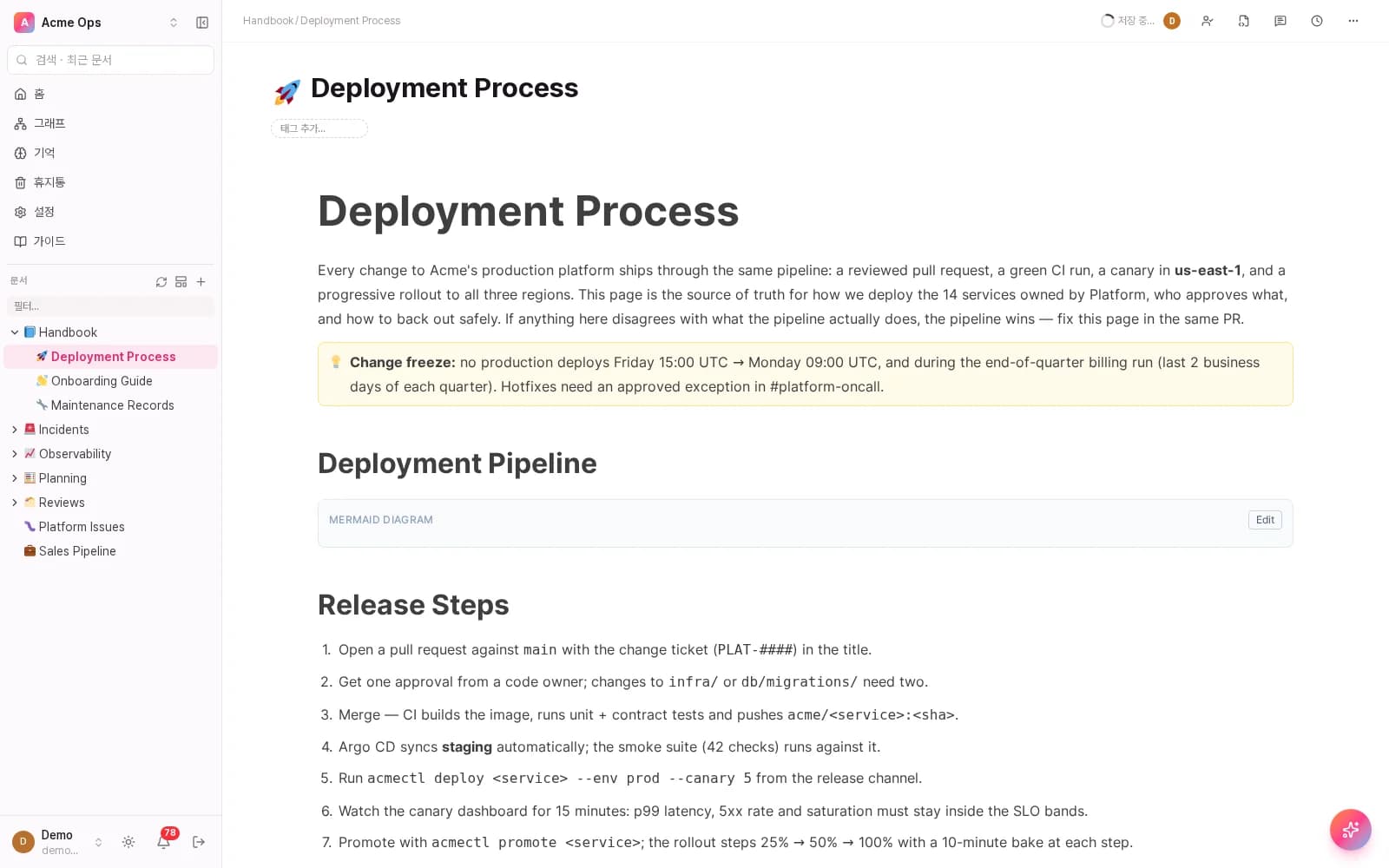
Connect via terminal
One-line connect
Nothing to install. No key to paste.
One command and Claude is wired into Rootr. You sign in once in the browser — no API key copied by hand. Not a terminal person? Third tab: paste one URL and you're done.
- No install
- No API key
- Under a minute
rootr — zsh
claude mcp add --transport http rootr https://rootr.io/mcpOnce connected
Write up this week's deploy retro in our docs
Written into your Rootr doc — the whole team can read it now
Run it and a browser opens. Sign in, pick a workspace, and Claude starts reading and writing your docs.
A generation change in doc tools
Still on Notion or Confluence?
Those tools aren't bad. They were designed for a time when people wrote the docs and people searched them. Now both ends are AI.
01Who writes
How work goes today
What you asked AI stays in the chat window, and someone retypes it into the team's docs. If nobody does, it's gone.
Rootr
AI writes it in. Say it once and it lands in the doc, the issue, the database — where your team already looks.
02Who searches
How work goes today
Finding things is the search box's job. When the answer is spread across documents, a person opens them one by one and stitches it together.
Rootr
Ask, and you get the answer — even one spanning several documents, with the document and the line it came from attached.
03What AI actually receives
How work goes today
It receives documents, one page at a time. Which meeting or which incident a decision came out of lives only in someone's head.
Rootr
It receives the relationships too — a decision arrives still connected to the logs and issues behind it. Hooking it up is one command.
The way you work doesn't change — same editor, same tables, same doc tree. What changed is that AI works on top of it.
Features
Docs, databases, logs — one workspace.
Document editor
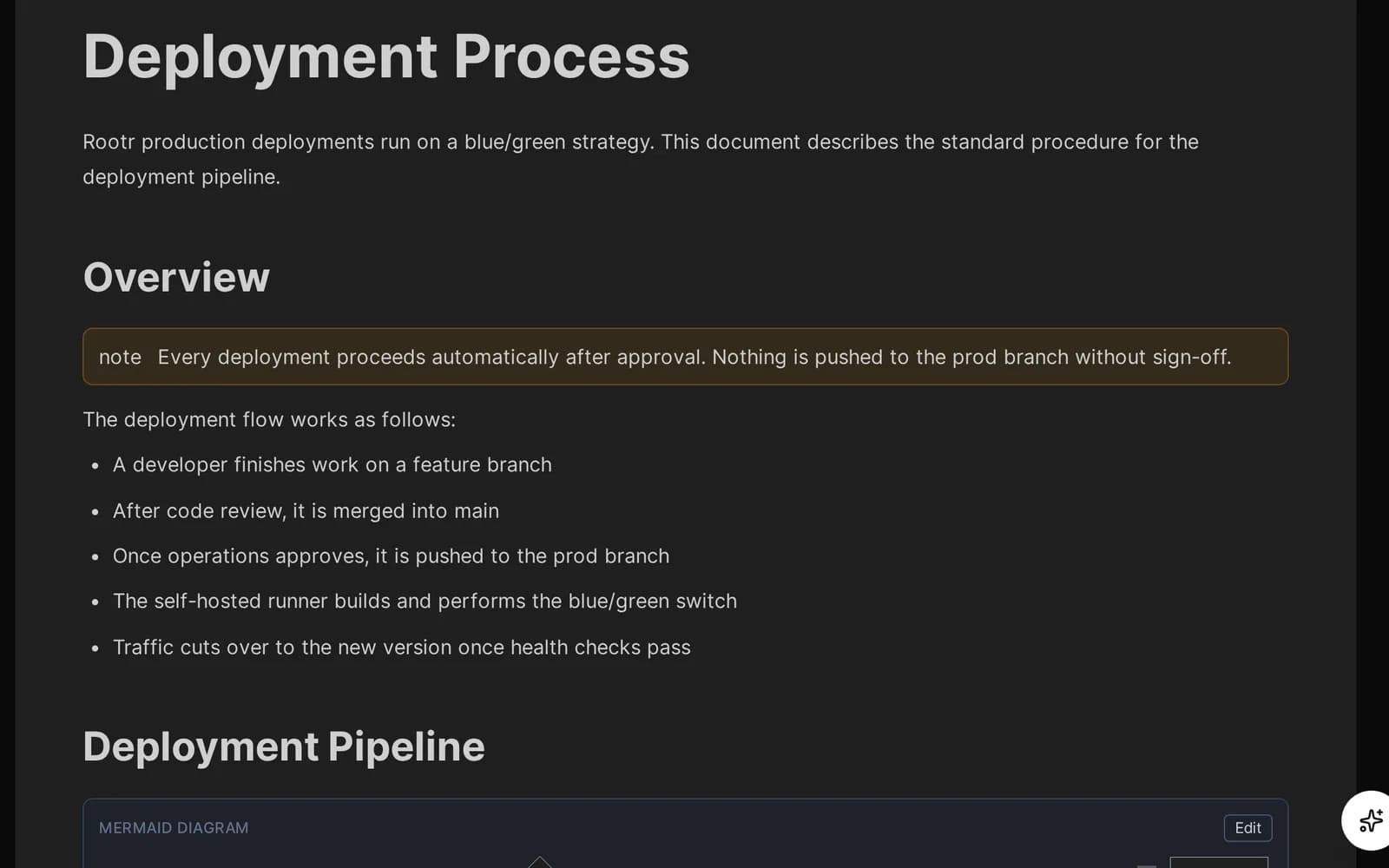
Type it yourself, or let your AI write it in.
Say one line to your AI mid-meeting and it lands in a doc your team already shares. Callouts, tables and diagrams live on the same page, and the whole thing round-trips to plain markdown underneath.
- Real-time co-editing, no save button
- Callout, table & diagram blocks in one page
Database
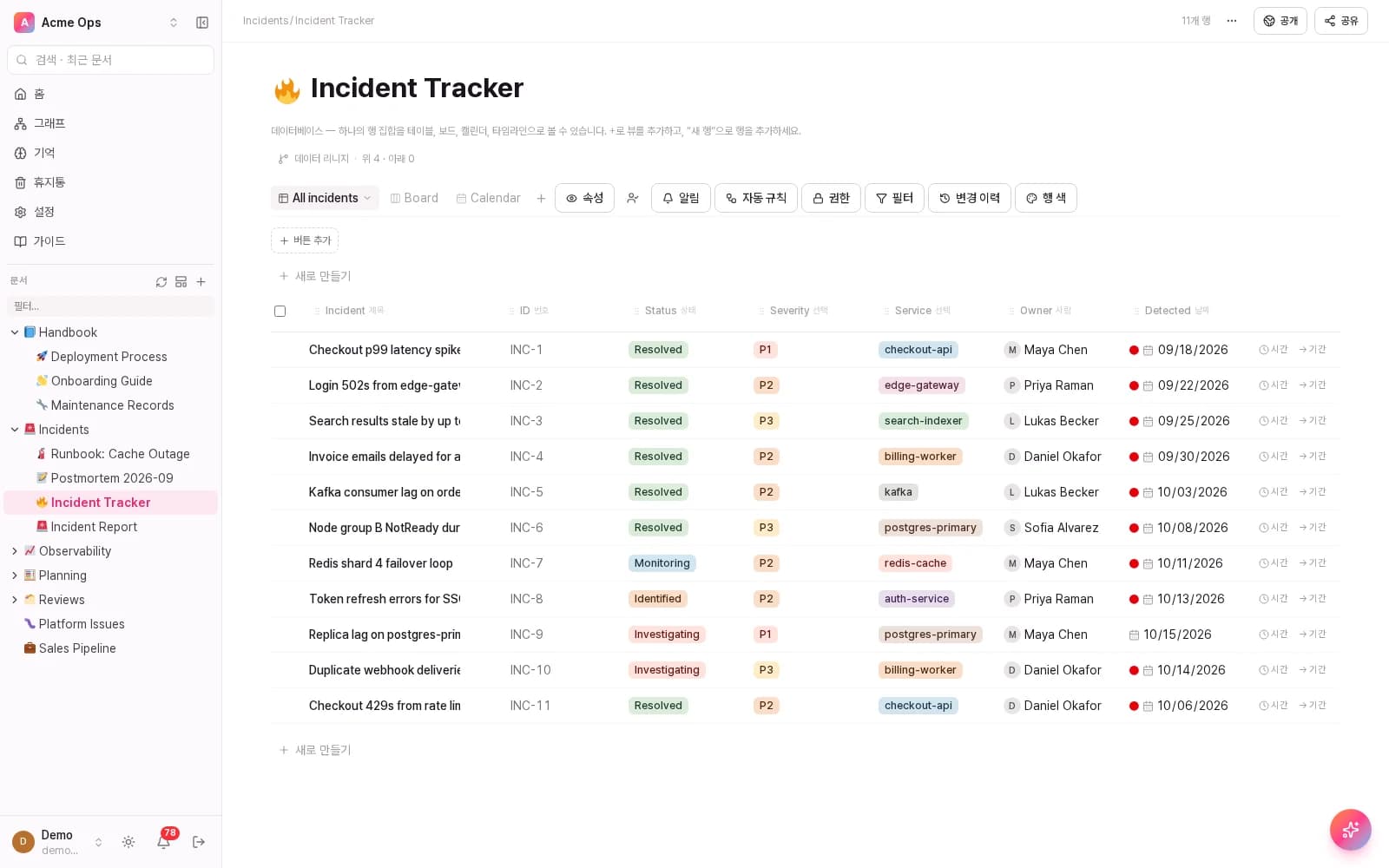
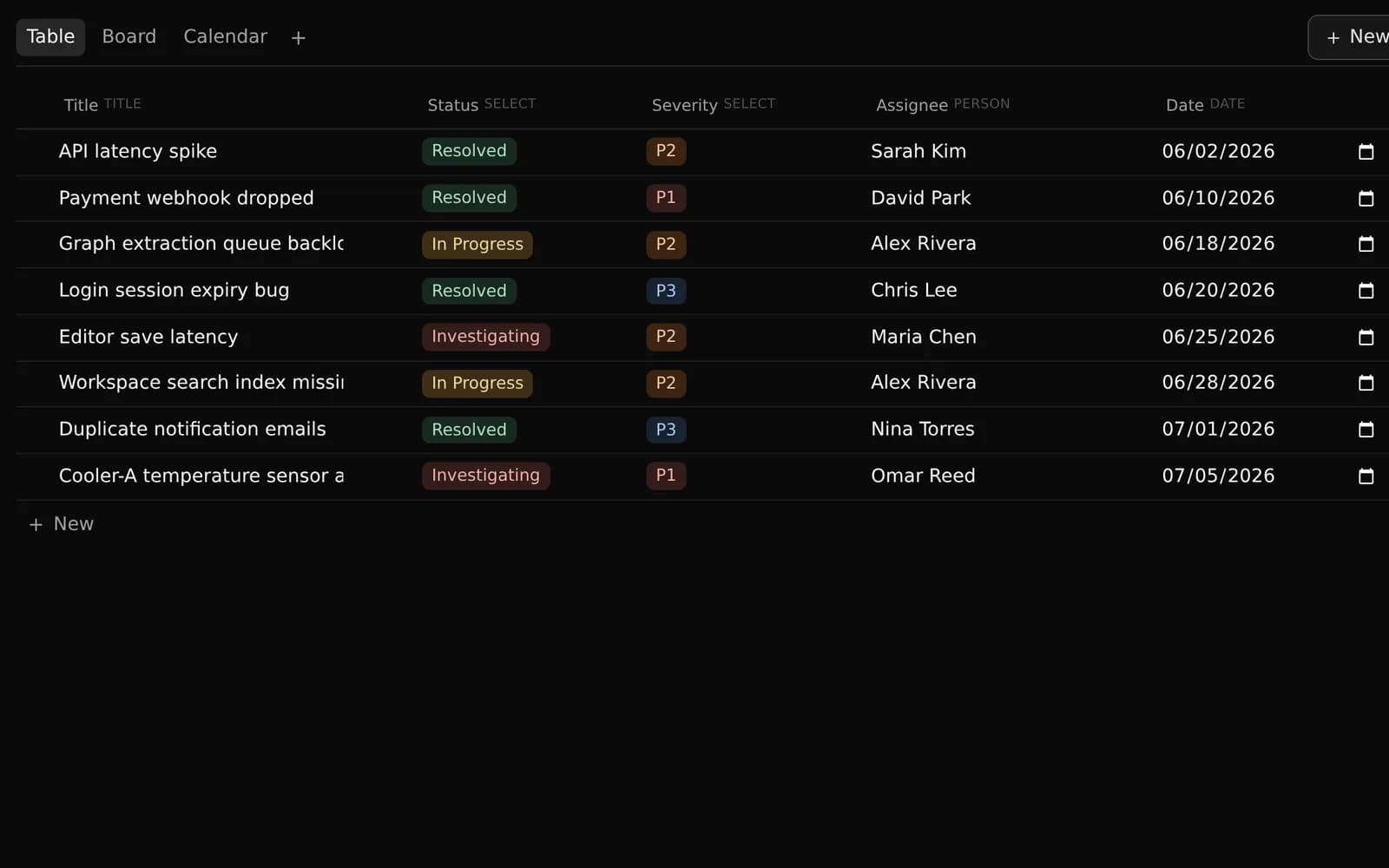
View it as a table. Flip to a board. Same data.
The "incident tracker" holds 8 rows tagged by status and severity. Flip the view from table to kanban board and the same 8 records rearrange themselves — no export, no second copy to keep in sync.
- Status & severity badges (Resolved/In Progress/Investigating, P1–P3)
- Table ↔ board, same records, zero re-entry
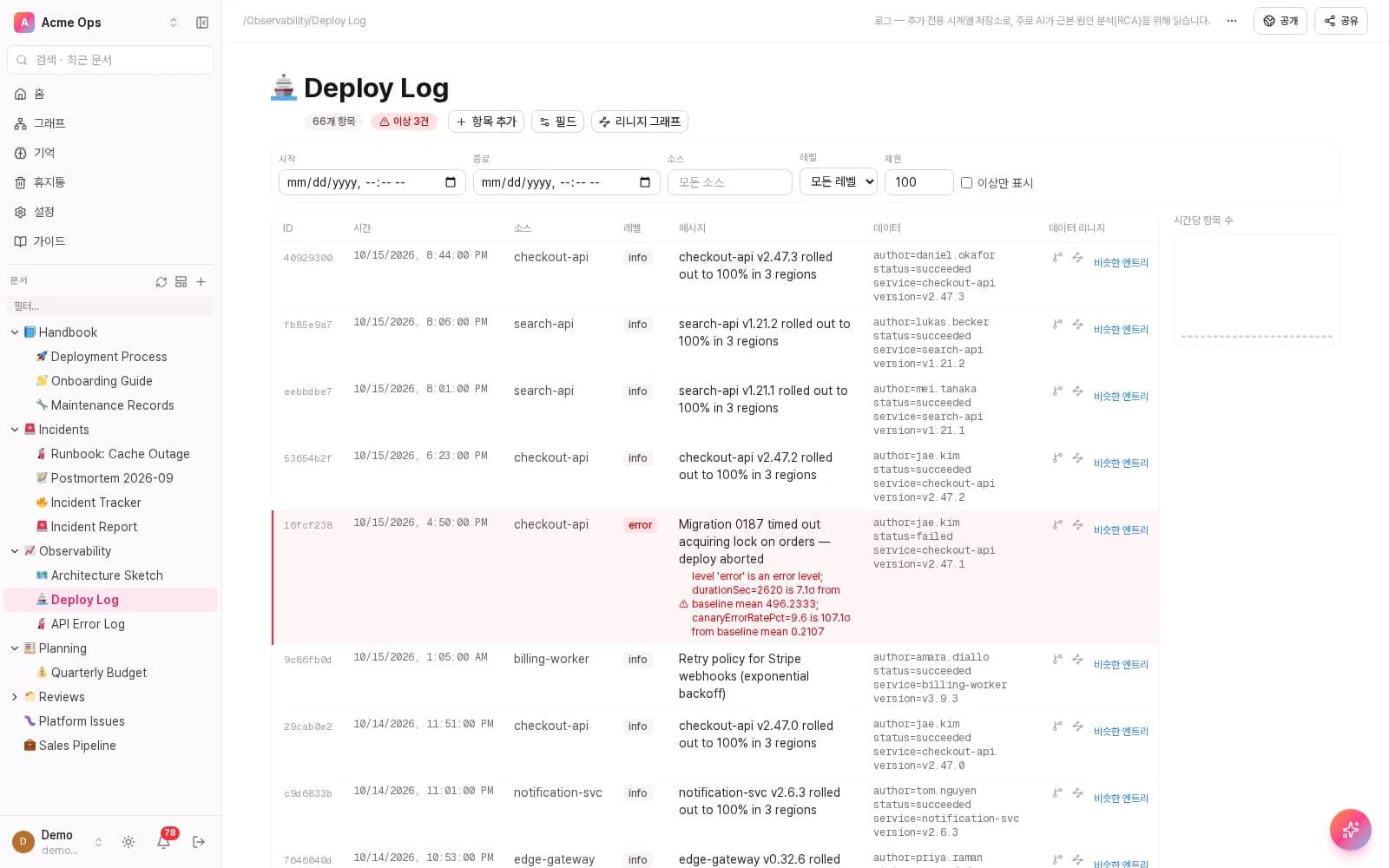
Typed logs
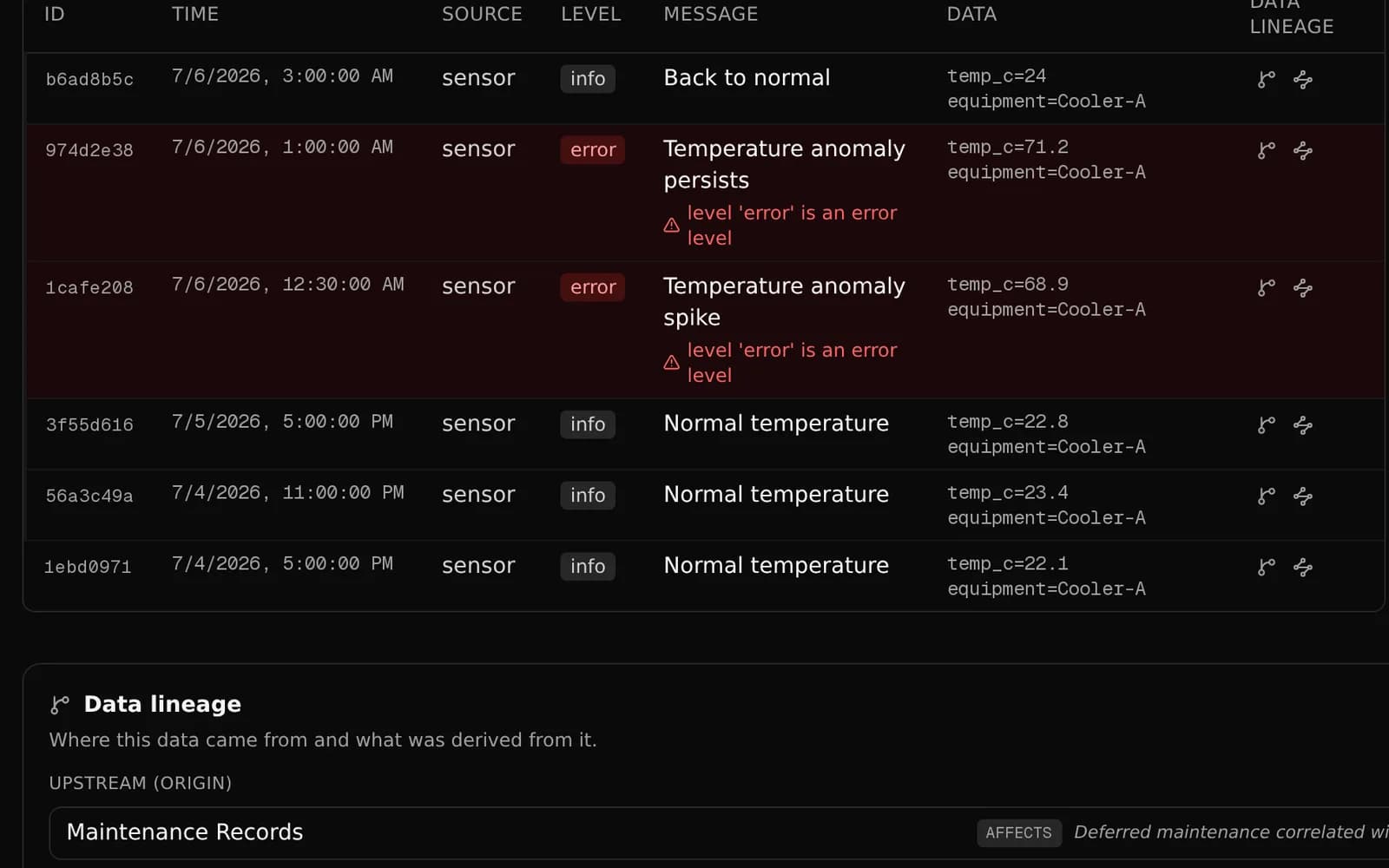
Anomalies turn red automatically.
In this "equipment temperature log," two entries that break from the normal range are flagged red automatically. A lineage panel at the bottom links those readings straight to the "maintenance records" that document what was done about them.
- Automatic anomaly detection, no thresholds to set
- Built-in lineage panel to upstream docs
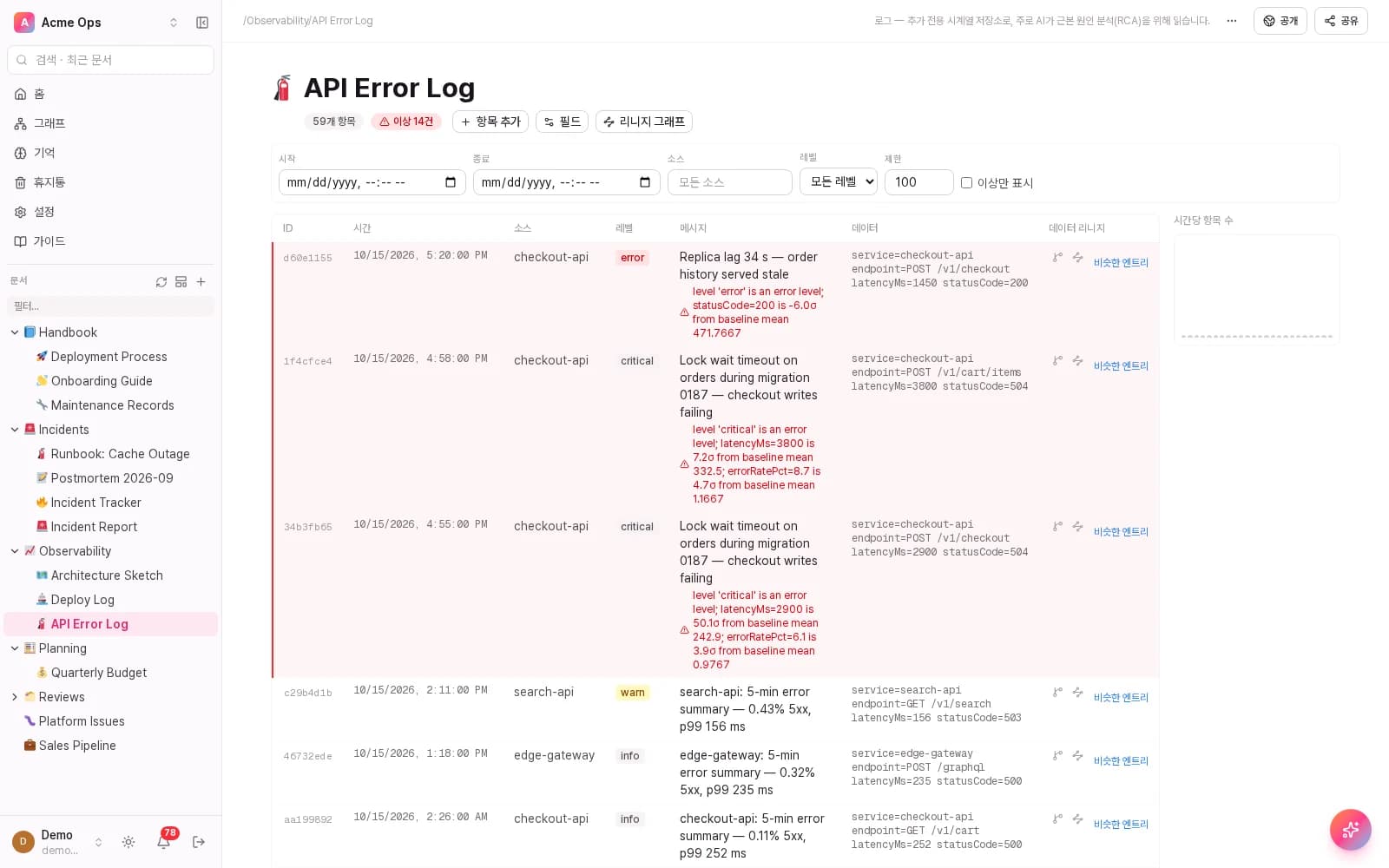
Data lineage
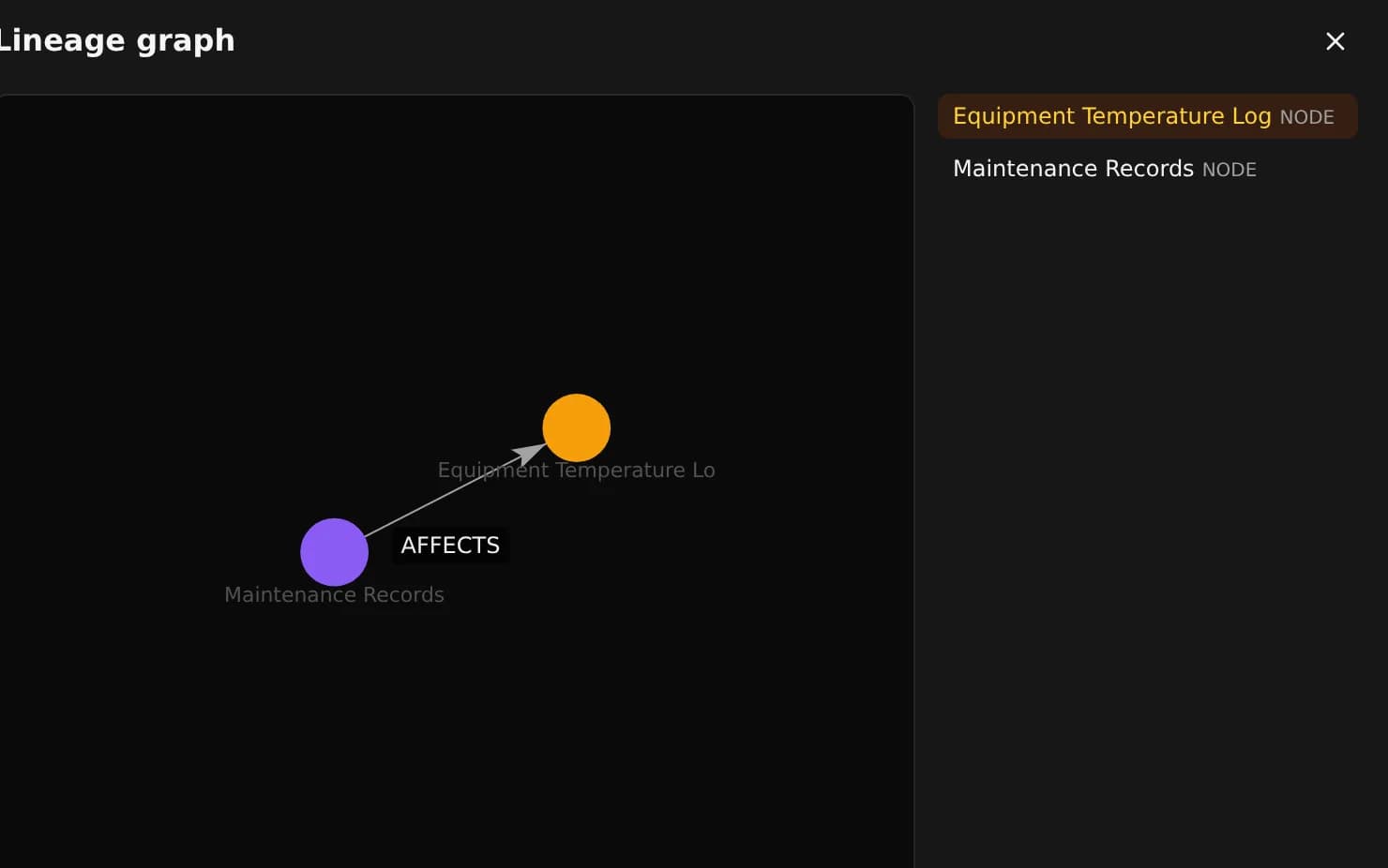
Draw a relation, get a cause chain.
A relation field on the temperature log points to the maintenance record via an AFFECTS relation — no manual diagramming. Follow that edge across the graph, hop by hop, to trace a reading back to its likely cause.
- Relation fields = automatic lineage
- Visualized as nodes & edges
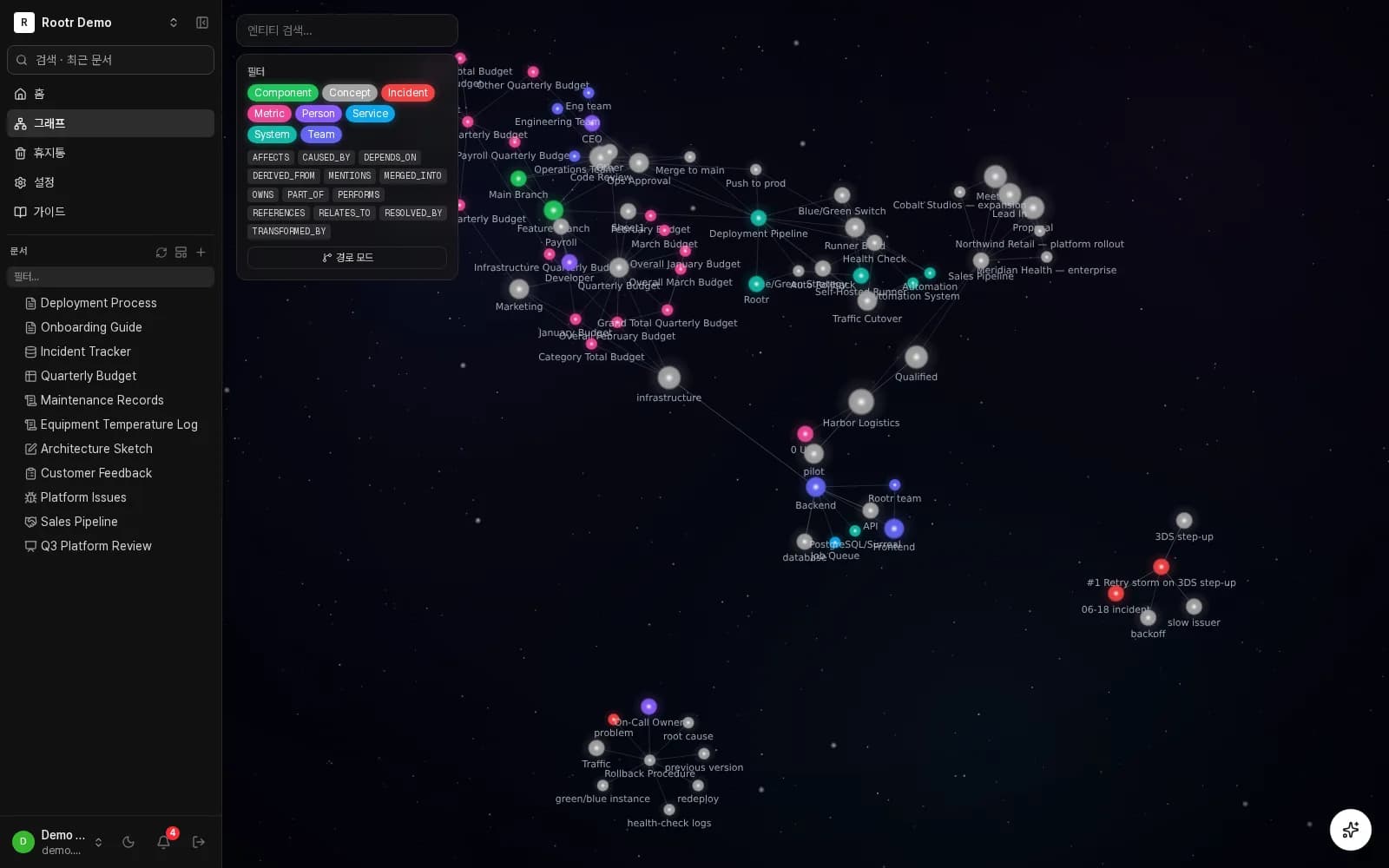
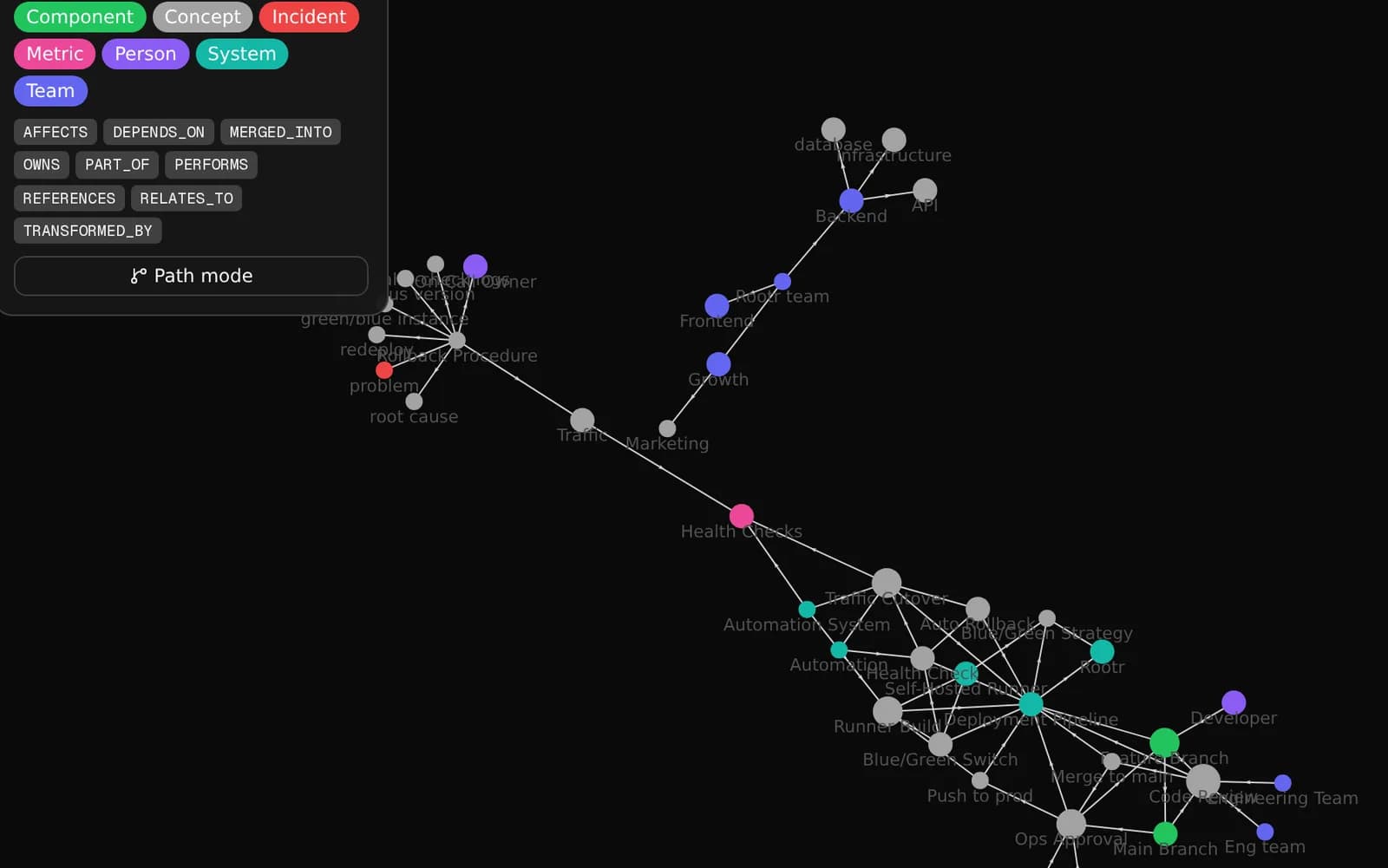
Knowledge graph
The more you write, the more the graph grows.
Every document, database record, and log entry becomes a node; every relation and reference becomes an edge. The graph updates automatically as you write — no separate modeling step.
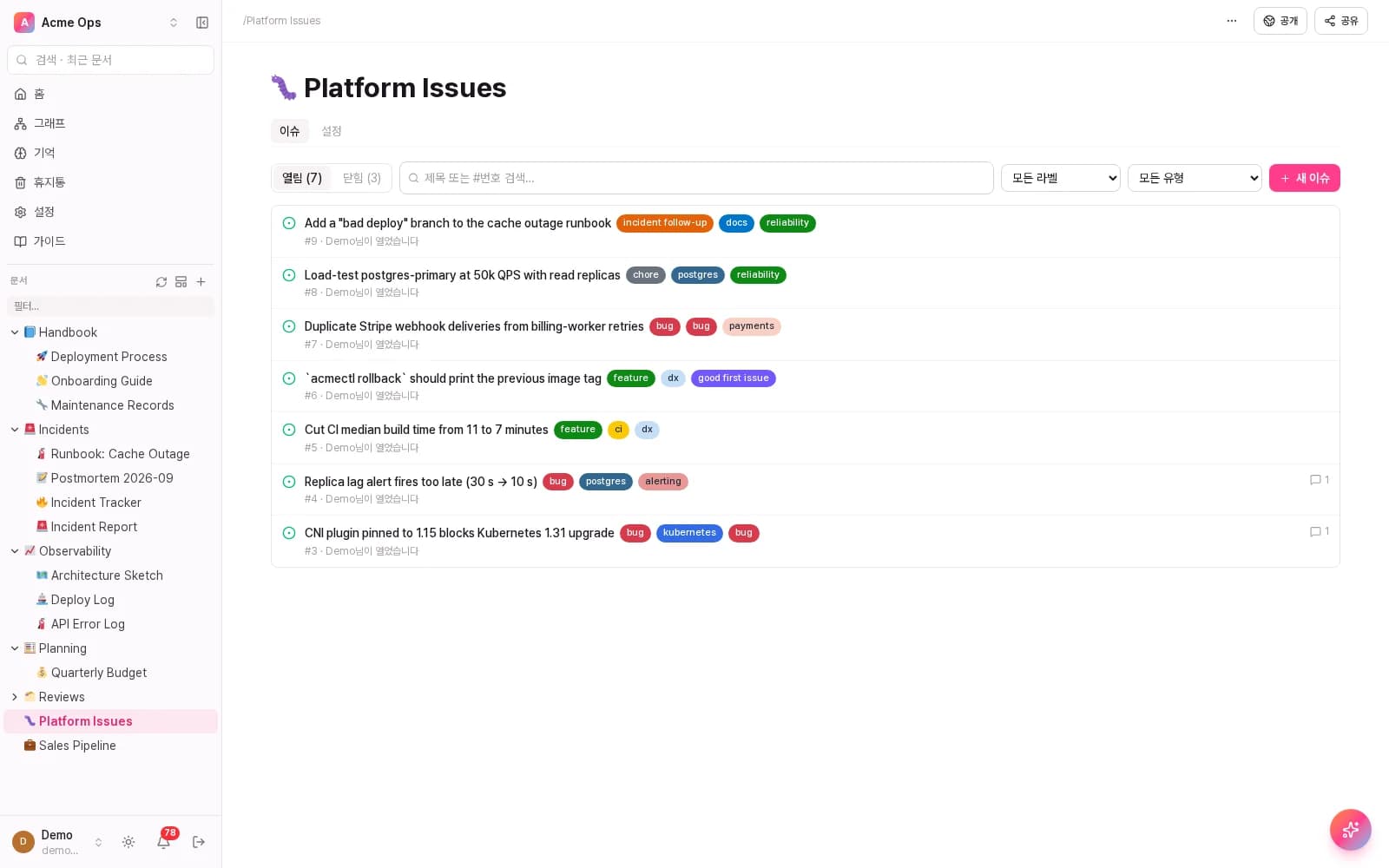
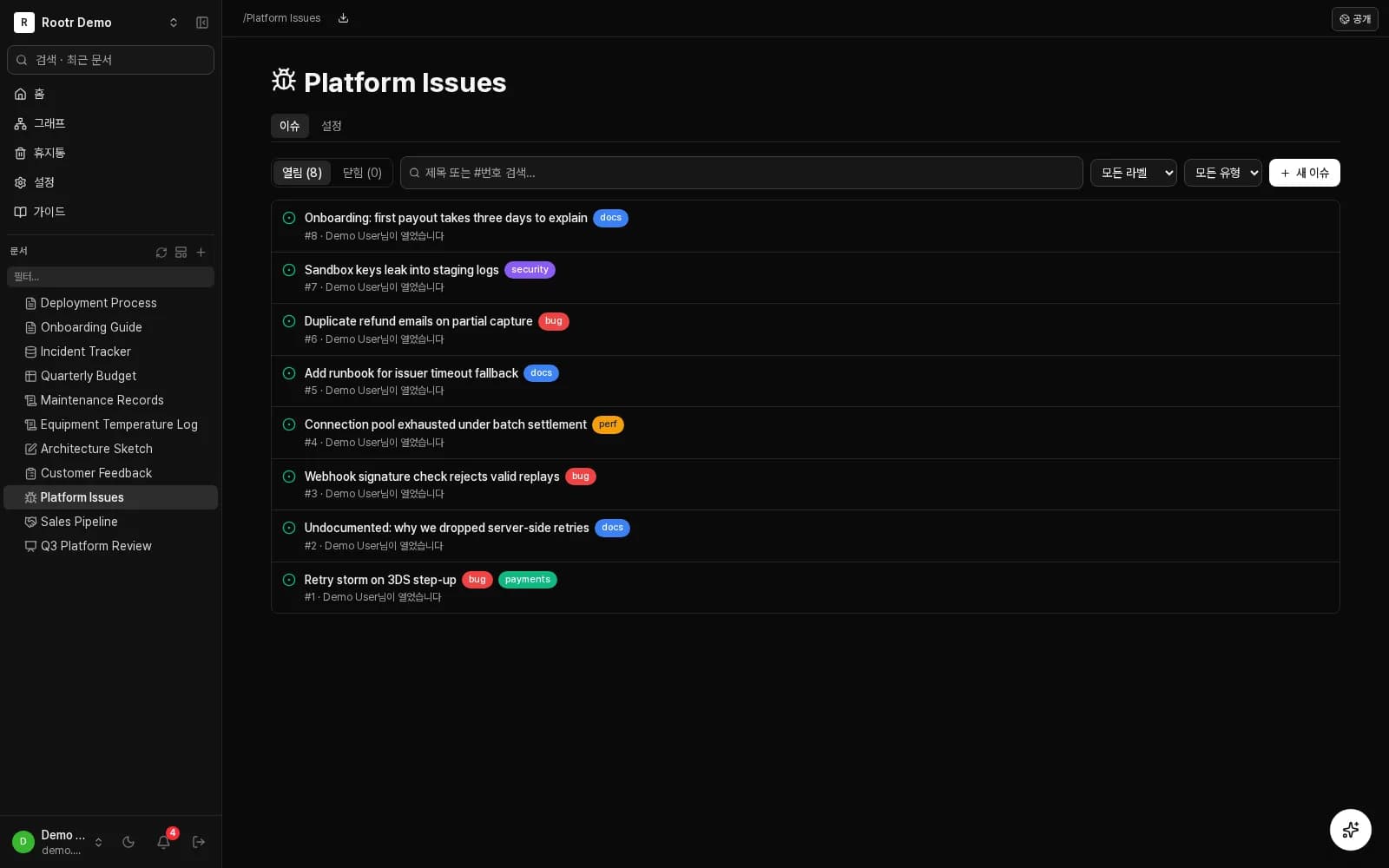
Issue tracker
File the "why does this exist?" on the spot.
Tell your AI once and it is filed, labelled and linked to the doc that explains it — so the next person does not rediscover it.
- Labels, assignees and status, as you would expect
- Jump straight from an issue to its source doc
Other doc types
Spreadsheets, whiteboards, forms — all in one workspace.
How it's different
Not a keyword search. A cause-finder.
We won't just claim it — here's how it actually finds the answer.
- 01
2am. A P1 alert fires on the payments service.
- 02
You ask, "What changed in the last deploy?" No query to write, no keywords to guess.
- 03
Rootr reads across the deploy log, the change-history doc, and recent issues in one pass.
"Cache settings changed in yesterday's 6pm deploy, and the failure rate rose right after. It's tracked in issue #482." — the answer comes back with its source.
In SQL
SELECT service, COUNT(*) FROM deploy_logs WHERE status='failed' GROUP BY service ORDER BY COUNT(*) DESC LIMIT 5;With Rootr
Which service had the most deploy failures this month?
Keep writing docs and logging like you always have. Connecting the dots is Rootr's job.
Developers
Drop in markdown. Get a RAG endpoint.
Every doc is automatically parsed and woven into a queryable graph in the background — no pipeline to build, no vector DB to provision. Query it via REST or GraphQL, or point your agent at llms.txt. Scoped API keys per integration.
Read the API docsExample: how an agent lets itself in
# 1) the agent reads the workspace + how to auth
curl https://YOUR_WORKSPACE.rootr.io/llms.txt

# 2) ask, with a scoped API key → a sourced answer
POST /api/v1/ask

# 3) or let it build a whole new workspace
POST /v1/scaffold/workspace
One line of llms.txt and an agent reads the structure and how to authenticate. From there, /api/v1/ask for a sourced answer, or /v1/scaffold/workspace to build a new workspace.
FAQ
Questions, answered.
- Isn't this just Notion?
- The editor's as familiar as Notion — you can even import a whole workspace. The difference: the moment you write, it's AI-searchable, and one API key lets your agent answer from it directly.
- Is there a click-through wizard where AI sets everything up?
- Not a dedicated screen yet. Give an API key to the embedded assistant or an agent like Claude Code, and it builds the structure via API instead.
- Do I need to restructure my logs to use this?
- Define typed columns once; relation fields become lineage automatically. No separate ETL pipeline.
- Can I connect my own LLM or agent?
- Yes. REST, GraphQL, and llms.txt work with any model or agent.
- Is the AI inside Rootr built on Claude?
- No. Rootr's built-in features run on our own AI models. External agents like Claude Code can connect via our API — that's not the same as Rootr being built on Claude.
- What happens to my docs?
- Write the way you normally would. Everything else happens automatically in the background.
- Do I need a credit card to try it?
- No. Free includes 3 seats, 256 MB storage, 500 AI credits per month, and a one-time grant of 2,000 graph credits.
- Can I use it as an electronic lab notebook for national R&D projects?
- Yes. Signed documents cover the three core e-notebook requirements: electronic signatures (Ed25519, re-authenticated at signing), trusted timestamps (RFC 3161), and tamper evidence (hash-chained workspace ledger). Signed documents can't be deleted; corrections go in as a new revision. See signed docs & e-notebooks →
- How is this priced?
- Per seat, plus AI credits and storage that scale with your plan. See full pricing →
- Who is this for?
- Teams organizing shared knowledge, developers wiring their own agents to real data, and ops/manufacturing teams tracking down root causes.
Pricing
Simple, per-seat pricing.
Prices shown are monthly. Pay annually and get 2 months free.
Free
$0
- 3 seats
- 256 MB storage
- 500 AI credits / month
- 2,000 graph credits, one time (auto knowledge-graph sync)
Team
Most teams start here$6
per seat / month, billed monthly
- Up to 25 seats
- 1 GB + 0.25 GB/seat storage
- 20,000 AI credits / month
- 20,000 graph credits / month (auto knowledge-graph sync)
Business
$14
per seat / month, billed monthly
- Unlimited seats
- 10 GB + 2.5 GB/seat storage
- 100,000 AI credits / month
- 100,000 graph credits / month (auto knowledge-graph sync)
Platform
Usage-based
- Custom seat & usage terms
- Unlimited AI & graph credits
- API-first access
- Dedicated onboarding
Free: 3 seats · 256 MB · 500 AI credits/month · 2,000 graph credits one time · no credit card
See full plan comparison →Taxes may apply and will be calculated at checkout.
Write the way you always have. Connecting the dots is on us.
No credit card required · 3 seats free